Monday, September 30, 2013

Attackers can slip malicious code into many Android apps via open Wi-Fi


A vulnerability mostly affecting older versions of Google's Android operating system may make it possible for attackers to execute malicious code on end-user smartphones that use a wide variety of apps, researchers said.
The weakness resides in a widely used programming interface known as WebView, which allows developers to embed Web-based content into apps used for banking, entertainment, and other purposes. Many apps available on the official Google Play market don't properly secure the connection between the WebView component on a phone and the Web content being downloaded, researchers from UK-based MWR Labs recently warned. That makes it possible for attackers who are on the same open Wi-Fi network as a vulnerable user to hijack the connection and inject malicious code that can be executed by the phone.
"The lowest impact attack would be downloading contents of the SD card and the exploited application's data directory," the researchers wrote in an advisory published earlier this week. "However, depending on the device that was exploited this could extend to obtaining root privileges, retrieving other sensitive user data from the device or causing the user monetary loss."
Researchers from several other security firms said they are also aware of the weakness, which can affect apps that run on Android versions 4.1 and earlier and don't make proper use of the secure sockets layer (SSL) encryption protocol. Elad Shapira, a researcher with antivirus provider AVG recently demonstrated how an app that has already been given permission to access SMS capabilities (a common setting with many legitimate apps) could be hijacked by malicious JavaScript code that sends expensive text messages to premium services.
Google representatives declined to comment for this story.

Cross-device attacks

Einar Otto Stangvik, a security consultant with Indev.no, said he has identified Android banking apps used in Norway that are also open to remote-code attacks that make users more susceptible to phishing attacks. He theorized that attackers might exploit the weakness by planting malware on a target's PC that hijacks a smartphone when both devices are connected to the same network.
"I am confident that we'll soon see many more cross-device attacks, where a compromised computer starts targeting cell phones on the internal network," he wrote in an e-mail to Ars. "That is what makes the JavaScript interface leak scary, along with the amount of poor uses of SSL, or worse still: no SSL at all."
The vulnerability stems from JavaScript-based programming interfaces exposed in many Android apps. The interfaces are the code equivalent of a highly restricted bridge that links sensitive parts of Android's Dalvik virtual machine to the Web. If the interface isn't fully contained inside an SSL connection, it's possible for hackers to mimic the legitimate website and, in effect, gain unauthorized access to the bridge. From there, an attacker can inject malicious JavaScript into the app. MWR Labs researchers reverse engineered the 100 most popular apps on Google Play and found 62 of them that are "potentially vulnerable" to the exploit. Potentially vulnerable apps as defined by the researchers were those apps that were developed using libraries or programming interfaces known to expose unprotected JavaScript commands to a variety of third-party ad networks under many but not all circumstances.
The reports of the weak apps come almost a year after two academic reports uncovered wide-ranging deficiencies in the cryptographic protections in smartphone software. One found that Android apps used by as many as 185 million people contained holes that leaked login credentials and other sensitive data even though they were supposed to be protected by SSL. The other revealed a variety of apps running on Android and PCs that were fooled by fraudulent SSL certificates. It's possible that similar defects could fail to protect code exposed in WebView objects even when developers think they're properly contained inside an SSL channel.

The good news

While the vulnerability is potentially serious, there are several limitations that minimize the damage attackers can do when exploiting vulnerable apps. Chief among them is the fact that Android's permissions and sandboxing mechanisms prevent most Android apps from installing other apps without explicit permission from the end user. That will probably prevent the technique from being used to install malicious apps in most cases. As a backup, the "Verify Apps" setting available in all versions of Android could also be updated to stop malicious installations should attackers find a way to bypass the permissions and sandbox protections.
What's more, Tim Wyatt, director of security engineering at smartphone security provider Lookout, said some researchers may be exaggerating the threat of attackers obtaining root privileges unless they can exploit a second, unknown vulnerability in Android's permissions and sandbox protections.
Another mitigating factor: beginning with version 4.2 of Android, Google added new security enhancements that among other things introduced something called the @JavascriptInterface annotation. The function makes it easier for a developer to restrict the methods that can be called on a scriptable object. Unfortunately, it requires the developer to take explicit action to do so. If the developer fails to heed that advice, the app will remain vulnerable.
Still, while the weakness can largely be prevented in Android 4.2, users are protected only if developers of each app follow best practices. Additionally, the vast majority of users remain locked into carrier contracts that prevent them from upgrading. That means it's up to app developers to follow best practices such as limiting the functionality exposed in JavaScript and securing communications channels for any WebView-exposing scriptable objects using SSL or its sister protocol, known as transport layer security (TLS). And as the MWR Labs researchers discovered, many widely used apps can't be trusted to practice those common-sense guidelines.
"Exploiting this would require getting access to an exposed JavaScript object, and so in most cases, that would require hijacking content delivered by a server," Tim Wyatt of Lookout told Ars. "It is therefore pretty critical that developers using JavaScript callbacks secure the delivery channels properly (e.g. using TLS with a proper certificate chain to prevent man-in-the-middle attacks)."

Friday, September 27, 2013

Ads will soon land on Gmail’s Android app, as teardown reveals ad support

gmail logo stylized Ads will soon land on Gmails Android app, as teardown reveals ad support
Gmail for Android got updated a few days back to include a cleaner design for its conversation view and a number of tweaks such as checkmarks for you to select multiple messages.
What Google did not reveal, apparently, is that the Gmail Android app update now supports ads, according to an APK teardown by Android Police.
Android Police notes that a whole new library called ‘ads’ has been added to the app, and the references to ads within the APK hint that users can save ads that they like as messages.
Gmail on Web already shows ads, and it is no surprise that Google will be trying to do the same for its mobile apps soon, though being careful that they don’t intrude on user experience is obviously a key concern.

Thursday, September 26, 2013

Top Android Apps for eReading

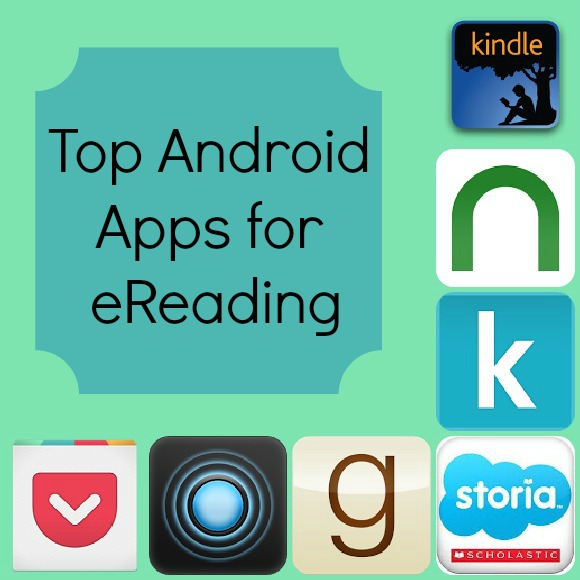
Top Android Apps for eReadingI’ve had my tablet, which I’ve named Walter (I name all my electronics, don’t you?), for about three months now, and I’m still exploring the overwhelming world of the top Android apps. I think I’ve installed and uninstalled a good few hundred apps by now! I’m very fickle, if it doesn’t wow me in about 40 seconds, I move on to an app that does. Since I spend half my life reading, I wanted to find some awesome Android apps for eBooks. Check out a few of my favorites so far!


Top Android Apps for Reading eBooks, Blogs, and News


Top Android Apps for eReading

Amazon Kindle – I already have a Kindle, so I wasn’t really sure what benefit having it on my tablet would provide me. After using it a few times, though, I kind of like it better in some ways. First, it’s backlit, so it’s a little easier to read in less-than-ideal lighting. Second, it’s a little more intuitive when it comes to resizing the text. I can just drag with my finger until the page is just right. You can customize just about every aspect of your reading. Change the back-lighting, font size and even the background color.

NOOK – If you’re more of a Barnes and Noble fan, then I suggest grabbing the NOOK app. Many users consider it one of the top Android apps for eBooks and say it’s even better than the Kindle app. The app comes loaded with a few free eBooks to get you started, and lending a book to a friend is easy with the trademarked LendMe feature. Like the Kindle app, you can completely customize your reading experience with a few taps.

Kobo- Kobo is pretty awesome because they often have amazing deals on eBooks, but what makes their app stand out is the trademarked Reading Life feature. You can track your reading habits, earn little awards for reading (which makes it GREAT for kids!), and check in with friends to see what they think of certain books. If you’re looking for a social reading experience, Kobo is definitely one of the top Android apps (possibly even the absolute top, but I haven’t tried every app out there yet to make that decision) for that.

Storia – Back around Thanksgiving, I did a post on the new Storia app from Scholastic Books. I didn’t have the tablet then, so I was using the PC version. Now that I have Walter, I can let Jacob use the tablet to check out all the cool offerings from the Android app. With features like Read-to-Me eBooks that offer a stimulating auditory experience to fun activities that stretch the story after its done, Storia is perfect for families with young children.

GoodReads – While you can’t actually read eBooks with the GoodReads app, it’s definitely one of the top Android apps for those who love books in general. I actually like the app better than the actual website. It’s so easy to flip through recommended reading and add what I want to my list. I can spend hours just swiping in that feature. You can also use a barcode scanner to scan all your books onto your virtual shelves. I haven’t tried that yet, because once I start I’ll be lost for days in my bins, boxes, and shelves.

Pulse News – One of the great things about having Walter is that I can keep up with the news I care about and all my favorite blogs through the Pulse News app. I’ve tried a few different apps, and while at first I was a huge fan of Flipboard, it kept going all wonky (not updating, not flipping right, etc) after a few days. Pulse News was actually the first Android app I downloaded for this purpose, and I ended up going back to it after a few weeks.

Pocket- I’ve been using Pocket for my PC since the days when it was called Read it Later. I use it constantly throughout the day to keep track of websites I want to go back to when I have more time. Now, with the app, I can sync my Pocket account across both my PC and my tablet. There are a lot of top Android apps for saving web pages, but I’m so enamored with this one that I really haven’t tried the others for more than a few minutes.

Gmail For Android Updated With Card-Style Layout

Google’s Gmail application for Android is being updated today with a new design which will bring Google’s now preferred “card style” user interface to the Conversation View within the app. 

Android_1
This layout, which Google popularized through its Google Now search application, has become the new go-to design paradigm at Google, arriving across other Google products and services, including Google Drive, the new Google Wallet apps, Maps, Google+ and elsewhere.
It mimics the idea of using index cards, and fits somewhere between minimalism and skeuomorphism, as Fast Company’s recent deep dive into Google’s design process explained.
Android_2In Gmail, cards will be used to better highlight multi-person, threaded messages in the app’s “Conversation view,” allowing for a “new, cleaner design,” states the company in a post on Google+ this afternoon.
In addition, the app will include other design tweaks, like checkmarks for multiple message selection which makes it easier to see which emails you’re about to move, delete or archive en masse. And the app will alert you in your inbox if account sync is turned off for some reason, to help keep you from missing messages.
Though some users are already seeing an app update in Google Play, not everyone is seeing the updated design just yet. The rollout is a staged one, so your mileage may vary, as they say.
News of the updated Gmail app comes on the heels of some serious issues which affected Gmail’s delivery times for an entire day on Monday. Even now, it seems the damage to the Gmail brand continues – many people have called me today, for example, saying, “oh, I thought I’d dial you since I just don’t trust Gmail right now.” That may be why now is a time for a little good news from Gmail… well, good news if you actually like the card-style layout, that is.

Wednesday, September 25, 2013

iMessage for Android app reminds us all to watch what we install

                    Apps

As much as Apple and Google would like to try and claim otherwise, malicious apps or apps that could be easily exploited do make their way to the App Store and the Google Play Store. Just like anything else with a screen, it is very important to be aware of what you click and read popup boxes when they appear.

Just like every other computer system out there, you are as safe as you choose to be on mobile devices. Google and Apple do what they can to limit your exposure to the worst of what could exist in their respective app stores, but there’s still plenty of other apps that either walk the line between good and evil or are simply destined to get your in trouble eventually.
Recently the Google Play Store was home to an app that promised to bring Apple’s iMessage service to Android. It was made by a third party and had a few reviews that claimed parts of the service actually worked. It didn’t take long for the app to be pulled from the Google Play Store for obvious reasons, but the excitement that followed the appearance of this not-quite-iMessage on the Google Play Store is cause enough to really evaluate how and why you install apps on your smartphone and tablet.
The iMessage app that showed up on the Google Play Store didn’t appear to be intentionally malicious. The developer had figured out a clever way to basically redirect the messages through a Chinese hosted server that was hiding the source of the messages. The app was buggy and sometimes messages would only travel one way, but the dev made it clear that this was a work in progress.
The biggest problem with this kind of workaround is the lack of control. All of your messages and the messages sent by others to you were being sent through a server maintained by some random guy. He doesn’t work for Apple, and you know absolutely nothing about the kind of security he has or anything about the setup. Essentially, there’s no way to know what was really going on behind the scenes. Even if you assume he had the best of intentions, using iMessage Chat for Android was an all around bad idea.
               iMessage

Most of the time it’s much easier to tell when an app is a bad idea. A lot of things get pushed to the Google Play Store (and Apple’s App Store) just to see who they can ensnare before it gets pulled. The Halo 3 App that turned out to be a chess game and the dozens of BlackBerry Messenger apps that showed up on the Play Store alongside their recent failed launch are just a pair of examples that happen all the time on both platforms. These apps exist explicitly to be malicious and grab as much information from users as possible before the app gets removed by the maintainer of whichever app store they are targeting. Either way, there’s some pretty clear ways to avoid this kind of thing.

The best thing you can do to keep yourself safe is pay attention to what apps install. Every Play Store app specifically shows you what that software requests access to when it is installed on your device. If you’re installing a video game that wants access to your contacts list or your call and message history, for example, there’s a problem. These are all plainly spelled out before you install an app for Android.
Apple, on the other hand, lets the user choose when specific features are enabled after the app is installed. A popup asking if the app can have access to certain features on the phone will appear, and the user can choose to give the app access to that information or not. In either situation, it is very important to stop, read, and decide whether or not you really want to allow that app to have access to your data.
        Halo 4 App Store
Before you even get to the install screen, however, you should carefully take a look its reviews. This is an important thing to do for two reasons. First, many app developers are in the habit of purchasing overly positive reviews to make their app look good on the first day. It’s important to look for the negative comments to see what they have to say. If you don’t see any negative comments, that’s the biggest red flag you can imagine.
Second, you should see what actual users think of the app — is especially important for Android users. The Google Play Store breaks up reviews into per device categories, so you can make sure people using the same Android phone or tablet as you have enjoyed the experience so far. In both cases, you will quickly find that negative comments with save you from installing potentially malicious apps on your device.
For many of us, this may seem like common sense stuff. It’s a variation of the same thing that has been true for a long time now with computers. Read before your click, understand what you are reading, and ask if you don’t understand. Don’t install something that looks shady, even if your friends tell you it is alright. Most people put deeply personal information on their smartphones, and installing an app from a third party that has access to that information is like asking a random stranger to walk into a room full of your personal information and not peek at anything you’ve left laying around. Even if it isn’t in their best interest to peek at that information, and even if they have the best of intentions, you’re still being asked to trust them to be as careful with your information as they are with their own.
You are as safe as you choose to be, plain and simple.

Monday, September 23, 2013

Twitter extends push recommendations to iPhone, Android apps

Twitter is expanding its new personalized recommendations feature to its mobile social networking applications for Apple's (NASDAQ:AAPL) iOS and Google's (NASDAQ:GOOG) Android.

Twitter supplies personalized recommendations when multiple people within the user's network follow the same account or favorite or retweet the same comment. "We built this feature based on an experimental account, @MagicRecs," explains Twitter Senior Software Engineer Venu Satuluri. "As its bio notes, @MagicRecs 'sends instant, personalized recommendations for users and content via direct message.' Over time, we've been tweaking the algorithms--based on engagement and your feedback--in order to send only the most relevant updates."

Moving forward, Twitter for Android and Twitter for iPhone users will receive recommendations via push notifications. Users may turn the notifications on or off using the Recommendations toggle in their notifications setting.

Twitter passed the 200 million monthly active user milestone in late 2012, with research firm comScore reporting that 53.6 percent of unique users access the microblogging platform via mobile device. Twitter is on pace to earn $582.8 million in global ad revenue this year, according to eMarketer; that figure includes $308 million from mobile ads, up 123.2 percent year-over-year.

Twitter filed to go public earlier this month. Analysts have previously estimated that Twitter's IPO could be valued at around $10 billion, but Wedbush Securities analyst Michael Pachter told The Washington Post that its stock was trading closer to $15 billion on private markets following the filing announcement.

Thursday, September 19, 2013

Google changes Android app policy to ensure use of its in-app purchasing service


Google has updated its Google Play Developer Program Policy to ensure Android developers use its in-app purchasing service as well as including new rules on ads behavior
Google has issued changes to its Google Play Developer Program Policy for Android developers to comply with for existing or new apps.
Google have included a section specifically referring to in-app purchases stating, "Developers offering virtual goods or currencies with a game downloaded from Google Play must use Google Play's in-app billing service as the method of payment."
This rule also refers to virtual goods or currencies unless the payment is "primarily for physical goods or services," or "for digital content or goods...consumed outside of the application itself."
There are also changes to ad policy stating that ads must not force the user to click on them or submit personal information.
Developers should also limit their apps descriptions, titles, or metadata to ensure that no "irrelevant, misleading, or excessive keywords" are used.
Additions have been made to Illegal Activities, Hate Speech and a new System Interference section has been added.
The new section states that an app must not make changes to the user's device outside of the app without consent, it must not replace or reorder a user's interface, it must not add shortcuts/bookmarks/icons, it must not send system level notifications, and must not push a user towards removing other third-party apps.
Android developers have been given 30 days to ensure that existing Android apps comply with the new rules published in the Google Play Developer Program Policy.
Any newly published apps must practice all the updated content policies in order to be display in the Google Play Store.
Existing apps that are not updated accordingly could be removed from the Play Store.